

GitHub Repository
You can find the project source code on GitHub.
Prerequisites
- Create a Google Cloud Project.
- Enable billing for your project.
- Enable Cloud Functions, Cloud Build, Artifact Registry, Cloud Run, Logging, and Pub/Sub APIs.
Database Setup
Create a Redis database using Upstash Console or Upstash CLI. CopyUPSTASH_REDIS_REST_URL and UPSTASH_REDIS_REST_TOKEN for the next steps.
Counter Function Setup & Deploy
- Go to Cloud Functions in Google Cloud Console.
- Click Create Function.
- Setup Basics and Trigger Configuration like below:
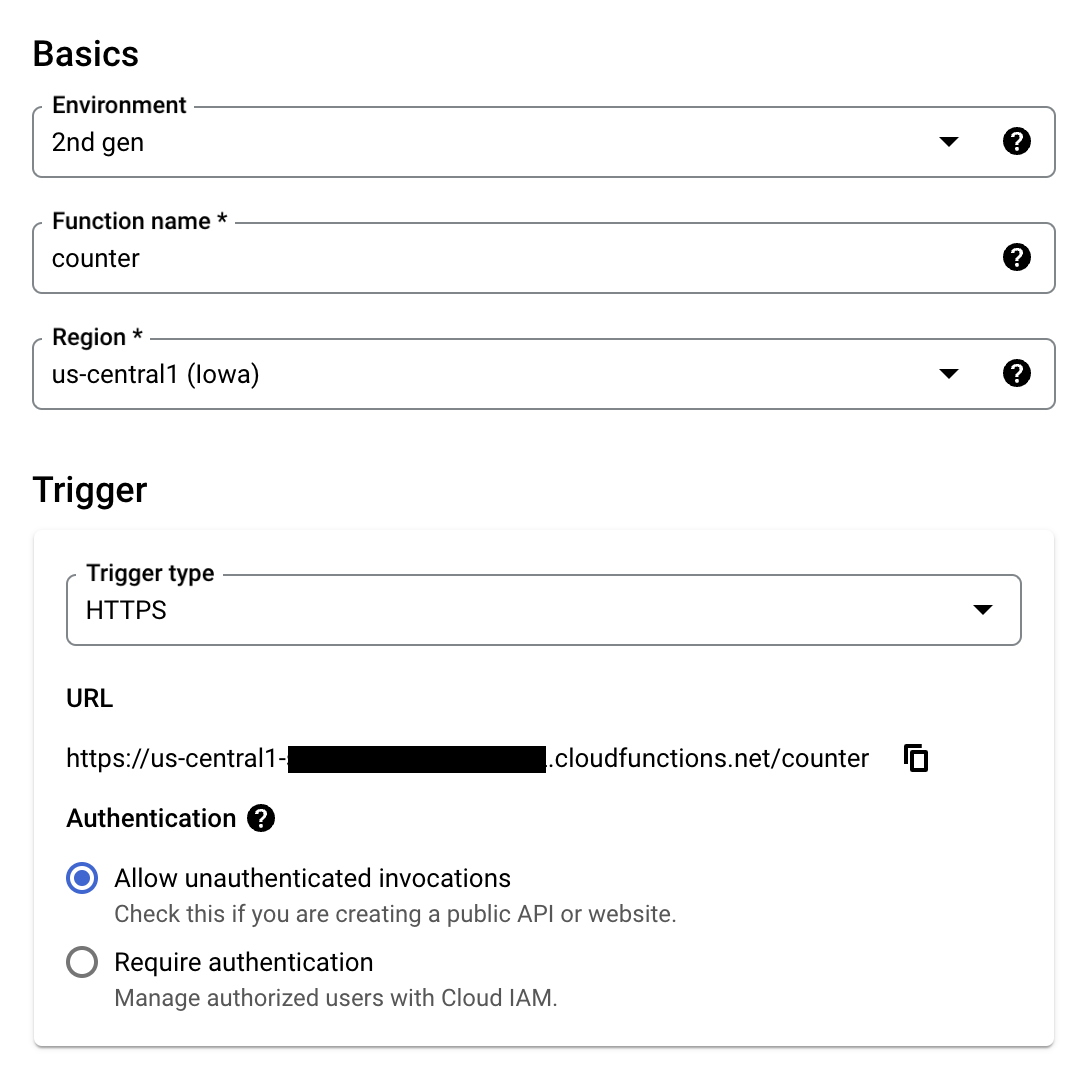
- Using your
UPSTASH_REDIS_REST_URLandUPSTASH_REDIS_REST_TOKEN, setup Runtime environment variables under Runtime, build, connections and privacy settings like below.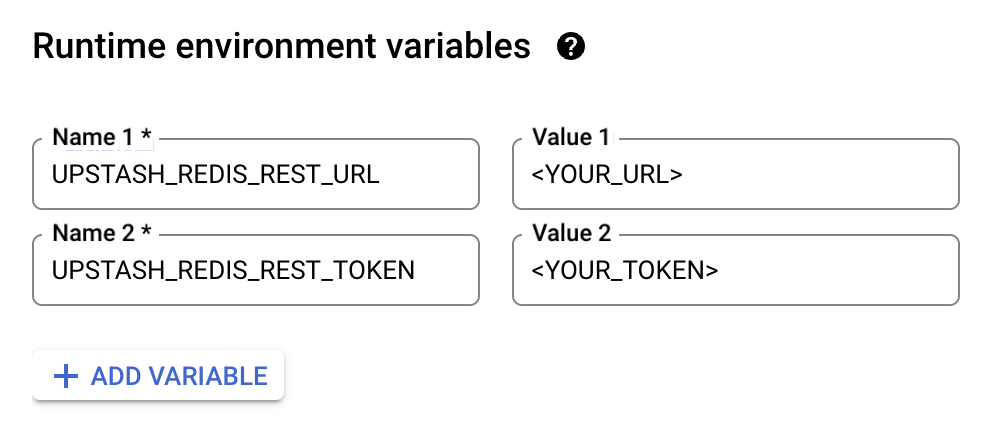
- Click Next.
- Set Entry point to
counter. - Update
index.js
index.js
- Update
package.jsonto include@upstash/redis.
package.json
- Click Deploy.
- Visit the given URL.